Building a Personal Website That People Trust: Practical Steps, Examples, and Mistakes to Avoid
Your name shows up in search results before you do. That moment—when someone Googles you, scans a link, and decides if you’re credible—matters. Building a personal website is how you earn that decision.
This guide isn’t about flashy design or one-click templates. It’s about trust. If you want a stronger online presence, a personal brand that holds up under scrutiny, and a clean way to show your skills and digital projects, your own website is the most reliable asset you can build.
By the end, you’ll know how to approach building a personal website practically, what trust signals to include, how to translate your CV into proof, and how to avoid the traps that waste time and attention.
Why building a personal website matters
A personal website is your controlled, high-signal base on the internet. You don’t have to fight an algorithm or thread your story through social context. You can be clear.
Here’s what your site can do that scattered profiles can’t:
- Control the narrative: You decide what’s above the fold, how projects are framed, and what visitors do next.
- Turn claims into proof: A CV says “I did X.” A site shows the process, context, constraints, and outcomes.
- Create consistency: Same name, same domain, same voice, same examples—all in one place.
- Reduce friction: A fast page, a credible headshot, one click to contact—signals that say “responsible, reliable.”
- Scale trust: Send one link that answers “who are you?” without requiring a call.
If you care about professional development and career growth, you can’t outsource trust to a social network profile. People still verify: they Google your name, skim your About page, open a project case study, and decide if you’re the real thing. Google’s own guidance emphasizes creating people-first, credible content—your site is the best place to do that well. See Google Search Central’s guidance on creating helpful, reliable, people-first content.
How to approach building a personal website practically
You don’t need a complicated build to make a trusted site. You need the right pages, the right proof, and a workflow you’ll actually maintain.
Start from trust signals, not features
Make it easy for visitors to believe you:
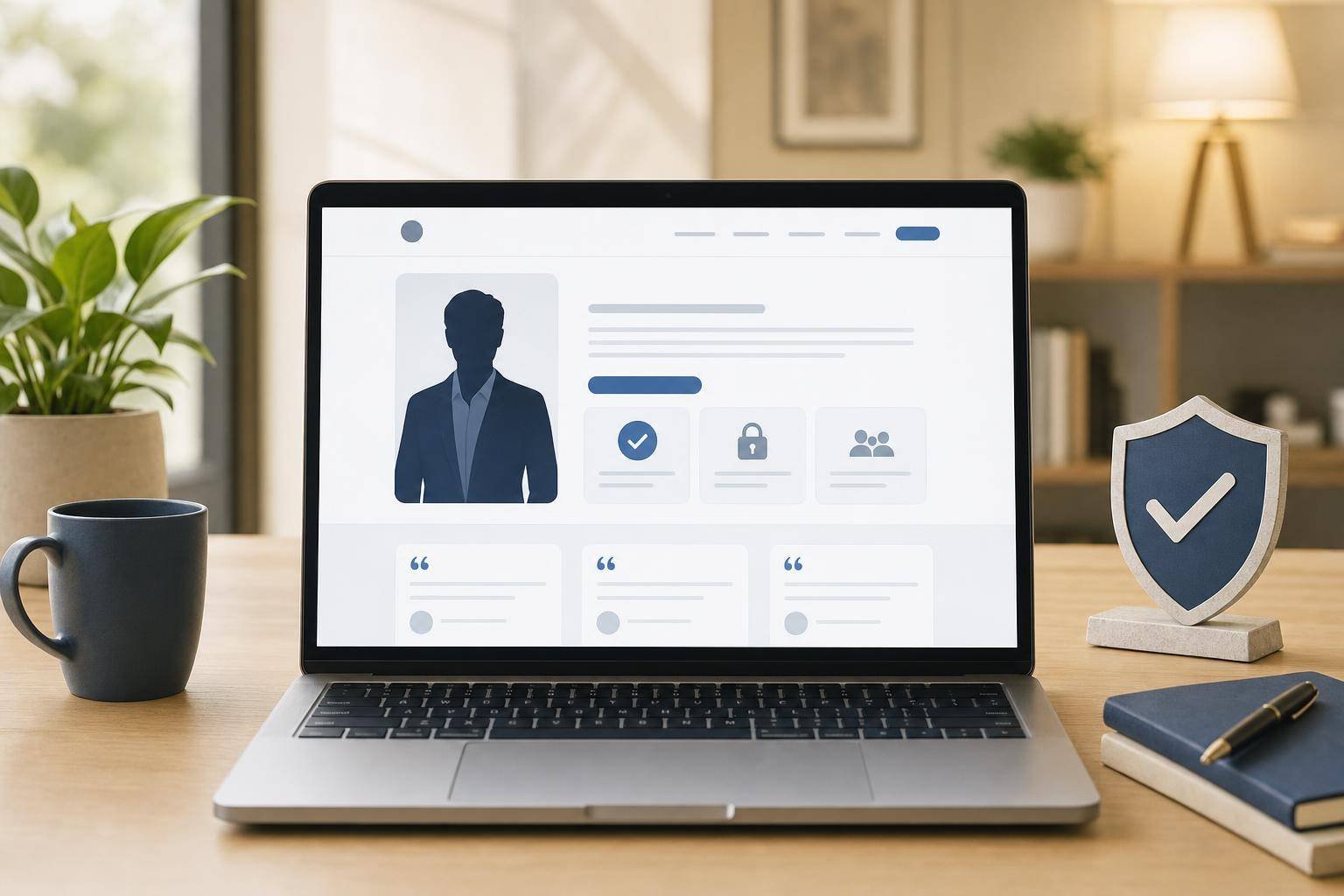
- Clear identity: Real name, pronounceable URL (ideally yourname.com), recognizable headshot, short bio, city/time zone.
- Clean navigation: Home, About, Projects/Portfolio, CV or Services, Contact, and a place for Notes/Blog. Nothing hidden.
- Proof over positioning: Case studies with the problem, constraints, what you did, and what changed. Screenshots, artifacts, timelines—whatever shows real work.
- Fast and stable: Pages that load quickly build credibility. Review the basics of Core Web Vitals and keep your theme/plugins lean.
- Obvious contact: A simple form and a direct email. Consider a calendar link if you do calls.
- Honest scope: If you’re learning, say so. Trust grows when you name what you know and what you’re exploring next.
WordPress setup that stays simple
WordPress is flexible, fast to ship on, and easy to extend—if you keep it minimal.
- Start lean:
- Use the default block editor (Gutenberg) and a lightweight, accessible theme.
- Avoid heavy page builders if you can achieve your layout with blocks.
- Add only essential plugins:
- SEO plugin for titles, descriptions, and sitemaps.
- A caching/performance plugin (or use server-level caching).
- A forms plugin for contact.
- Optional: a schema plugin if you don’t want to manage structured data by hand.
- Security and maintenance:
- Enable automatic updates for minor versions.
- Use strong passwords and two-factor authentication.
- Follow WordPress.org’s guidelines on hardening WordPress.
- Content-first workflow:
- Draft case studies and pages as blocks, not PDFs.
- Set a monthly review: fix small things, update screenshots, merge notes into articles.
If your aim is trust, your stack should support clarity, not distract from it.
A simple framework you can use
Here’s a practical lens I use when working on personal sites: the PROOF Framework.
- Position: who you are, what you do, and for whom—stated simply.
- Results: what outcomes you’ve helped produce; how success is measured.
- Operations: how you work; your process; your workflow; how to start.
- Originals: your own artifacts—case studies, articles, drafts, tools, project notes.
- Findability: can people (and search engines) find and understand your content?
Position
- One-liner on the homepage and About: “I help X do Y by Z.”
- Short bio with relevant skills and context (industries, tools, constraints you know well).
- A human headshot; not a logo. Your name is the brand.
Results
- Case studies over portfolio thumbnails.
- Share constraints: timelines, budgets, technical limits, team size.
- When numbers are private, show leading indicators: before/after screenshots, error rate reduced, load time improved, backlog cleared, proof-of-concept validated.
Operations
- A “How I work” section: phases, artifacts, time expectations, collaboration style.
- If you’re a creator/operator: publish a “Now” page, a weekly notes section, or a “what I’m building” backlog. It signals that you ship.
Originals
- Ship your own thinking: articles, teardown notes, templates, automations.
- Turn CV lines into links: each role, project, or responsibility should point to a page.
- Use an AI workflow to draft, but keep your voice: AI is for first drafts and structure; you make it honest and useful. For better prompts, see OpenAI’s prompt engineering best practices.
Findability
- Descriptive titles and meta descriptions; clear H1s; internal links from related posts to case studies.
- A Profile page with structured data to help search engines understand your identity; see Google’s Profile page structured data.
- Submit your sitemap and track coverage in Search Console. Start with Google’s overview of Search Console.
When you review your site, ask: Does each page increase Position/Results/Operations/Originals/Findability? If not, refine or cut.
A practical checklist: from blank domain to trusted site
Use this as a build plan or a monthly audit.
1) Define the one job of your site
– Who is it for? What should they do next? (Book a call? Read a case study? Send an email?)
2) Choose a clear domain
– Your name if possible. If not, a consistent, short alternative you can keep for years.
3) Set up hosting and WordPress
– Use a reliable host with SSL and backups included. Install WordPress with minimal extras.
4) Pick a lightweight theme
– Prioritize accessibility, performance, and clean typography. Keep brand colors and spacing simple.
5) Create essential pages
– Home: Position and primary call-to-action.
– About: Bio, skills, values, headshot, short story.
– Projects/Portfolio: 3–6 case studies that show process and proof.
– CV/Resume or Services: Clear offer or experience timeline with links to proof.
– Contact: Email, form, and availability.
– Notes/Blog: Short updates and longer posts as needed.
6) Draft one strong case study
– Template: Context → Problem → Constraints → Your role → Process → Outcome → Lessons learned → Links to artifacts.
– Keep it scannable with H3 headings, bullets, and visuals.
7) Add trust signals
– Headshot, city/time zone, real email, short video introduction (optional).
– Mention tools and environments you’re comfortable with (WordPress, Git, Figma, GA4, etc.).
– Privacy and terms pages if you collect leads or run analytics.
8) Nail the basics of SEO hygiene
– Unique H1 and meta description on each page.
– Descriptive URLs: /projects/wordpress-portfolio-redesign, not /project123.
– Internal links: connect related posts to case studies and About/Contact.
9) Speed and performance
– Compress images, lazy-load where appropriate, avoid heavy sliders.
– Use caching; test Core Web Vitals basics via PageSpeed Insights or Lighthouse. See Core Web Vitals.
10) Accessibility
– Legible contrast, proper alt text, keyboard navigability. Use headings in order. Read the W3C overview of WCAG standards.
11) Structured data
– Add Profile Page or Person markup to your About/Profile page; see Google’s Profile page structured data.
– Organization markup if you operate under a studio name.
12) Analytics and Search Console
– Set up analytics for basic insights. Connect Google Search Console to submit your sitemap and monitor indexing.
13) Contact flow
– Test your form. Route submissions to an inbox you check. Send a simple auto-reply with expectations if you get inquiries.
14) Editorial workflow
– Keep a running list of ideas.
– Use AI to outline and shorten, not to invent. Add your own artifacts and lessons.
– Publish small updates weekly (notes), bigger case studies monthly.
15) Maintenance
– Monthly: update WordPress, plugins, and check site health.
– Quarterly: refresh screenshots and case studies, review page speed, prune outdated content.
– Follow WordPress’s hardening guide for security hygiene.
This is enough to be taken seriously. You can layer on design and features later.
Common mistakes to avoid
Avoid these traps that quietly erode trust.
- Generic copy and empty claims
Saying “results-driven” doesn’t move anyone. Show a before/after screenshot, a Git commit timeline, a deployed feature list, or a solved constraint. - Over-designed, under-explained pages
A clever layout with vague words confuses. Prioritize readability, spacing, and clear headings. - Hiding contact details
A form without an email looks evasive. Include both. - Outdated portfolio
“Last updated 2021” signals drift. If time is tight, write short build notes and ship one strong case study per quarter. - Ignoring mobile and speed
Many first impressions happen on a phone. Test small screens and load time. Trim anything heavy that isn’t doing work. - Unclear identity
Using a studio name but no person makes it hard to trust. Put your name and face on the About page; say who answers messages. - Over-automation
AI-written pages without your artifacts feel hollow. AI is fine for drafting, not for replacing proof. - No accessibility basics
Low contrast, missing alt text, and unclear focus states make your site harder to use and can look careless. Review the basics of WCAG. - No clear next step
Every page should propose one action: read a case study, view your CV, or send a message. Don’t leave people guessing.
How this applies to your personal website
If you’re building your personal brand, the site should feel like a clean desk with your best work laid out. On Dovydas.io, I prioritize exactly that: simple pages, real projects, clear writing, and links to artifacts. When in doubt, I ship notes over perfection. You can apply the same approach.
- Turn CV experience into online proof
Each relevant role or bullet becomes a link to a short page: what you did, why it mattered, and what you learned. It doesn’t need to be long—just useful and specific. - Document personal projects, even small ones
Ship a “weekend build” page: problem, constraints, what you tried, what broke, what shipped. Digital projects compound in trust when they’re visible, not when they’re perfect. - Improve a WordPress portfolio with process, not just screenshots
For each portfolio item, include 5 elements: brief, constraints, decisions, trade-offs, and outcome. A static grid of logos is a start; a case study is proof. - Use AI for productivity, not for persona
Draft outlines for a case study with AI, generate a first list of constraints, or get headline variations. Then layer on your process notes, screenshots, and decisions. The trust comes from your artifacts. - Automate the publishing workflow, not the thinking
Use a template for case studies, a checklist for publishing, and a monthly review reminder. Your process becomes a trust signal when it’s consistent.
A short reflection from the builder’s seat
The pages that quietly perform best for a personal brand are rarely the flashiest. A tight About page, a handful of honest case studies, and a “How I work” page tend to carry more weight than a dozen half-finished posts. If you only have time for one thing this month, write one case study and improve your Contact page. The compounding happens when visitors can follow a straight line from your identity to your proof to their next step.
FAQ
Do I need WordPress, or can I use a site builder?
Use what you’ll maintain. WordPress is flexible and portable, great if you want control and extensibility. Site builders are faster to start but can be limiting. The platform matters less than whether you publish real proof and keep it updated.
What should be on the homepage of a personal website?
A clear one-liner (who you help and how), a short bio, one recommended next step (read a case study, view services, or contact), and a few highlights that prove credibility. Keep it scannable.
How often should I update my portfolio or case studies?
Quarterly is a healthy rhythm. Update screenshots, add a lesson learned, or publish one new case study. If you’re busy, post short build notes so the site still feels alive.
How do I show proof if I’m under NDAs?
Share process, constraints, and anonymized outcomes. Use redacted screenshots, timelines, architectural diagrams, and before/after technical metrics that don’t reveal proprietary data.
Do I need a blog to build trust?
Not necessarily. A small “Notes” section with short updates, problem-solving snippets, or progress logs can be enough. Quality proof beats volume.
Final thoughts
Building a personal website is the most durable way to grow a trustworthy online presence. It turns your personal brand, CV lines, and digital projects into proof people can evaluate quickly. Keep the scope practical: a few honest pages, fast performance, clear contact, and case studies that show your thinking.
If you do one thing next, pick a single project from your CV and turn it into a case study with context, constraints, process, and outcome. Then submit your sitemap to Search Console, review speed basics, and set a monthly reminder to update something small. Building a personal website that people trust isn’t a sprint; it’s a steady habit that compounds.
More from Dovydas.io
If this article helped you, explore more notes, projects, and practical lessons on Dovydas.io.
I use this website to document what I build, what I learn, and how I improve my work with AI, automation, WordPress, and digital projects.
Thanks for reading — feel free to leave a comment or connect with me through the website.
Read more on Dovydas.io
Browse more articles, portfolio updates, personal reflections, and project notes at Dovydas.io.